
How to: create Telegram stickers starting with high resolution image (1024 pixels heights)
Why: so that other people can do the same (and inform us, so that we promote)
Bonus for newbies: learn a little of  Gimp & of Telegram stickers
Genesis: I asked 3 people in AtOMo Telegram, what stickers they desired to created and “Six” the owner of this Bitcorn Farm opted for “Carnival”, his future project (I will update this part when more will be revealed). It will be used as the example in this tutorial.
1. Does the word exist (well, In AtOMo world) ?
Check it in AtOMo Speller
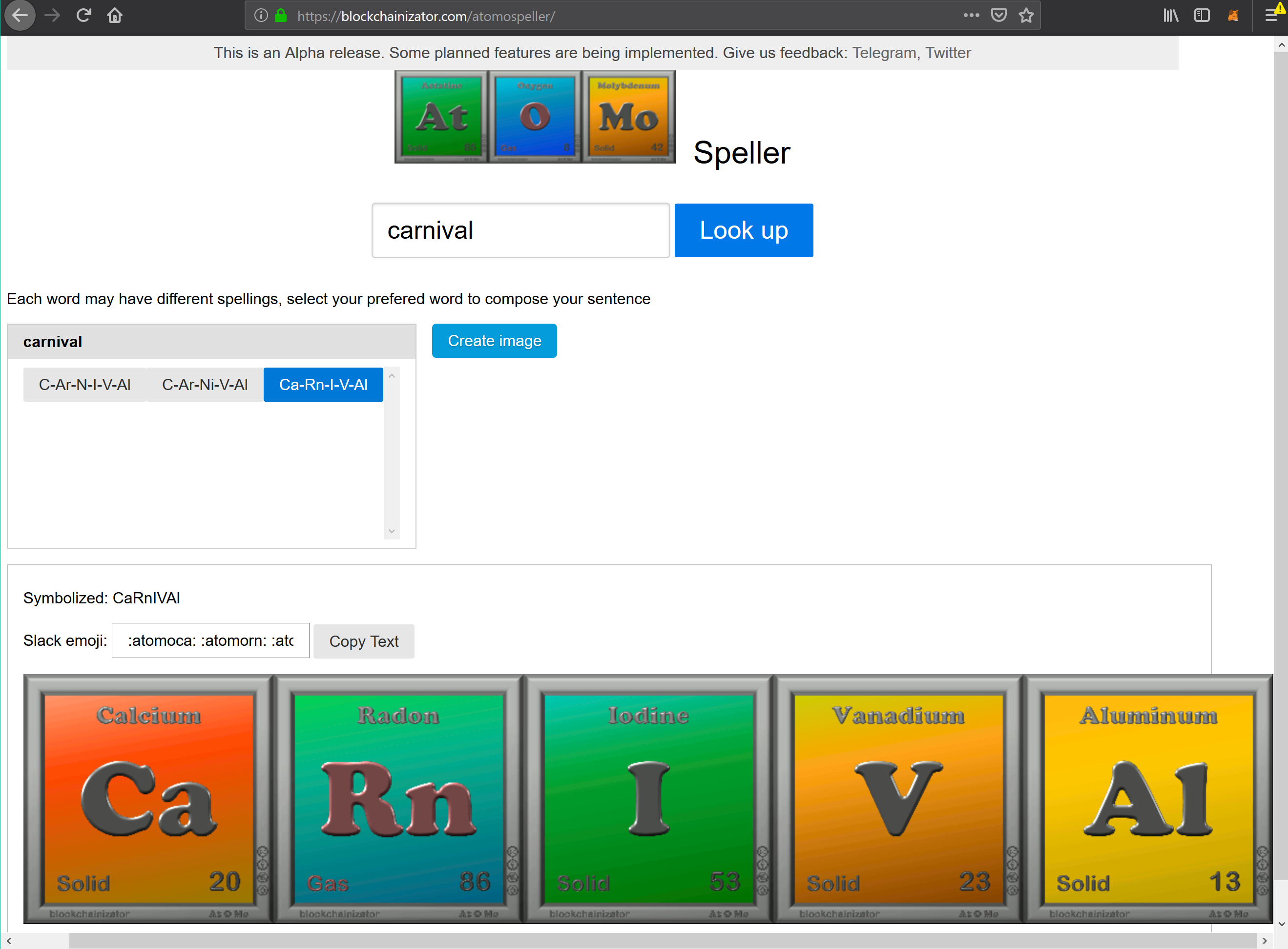
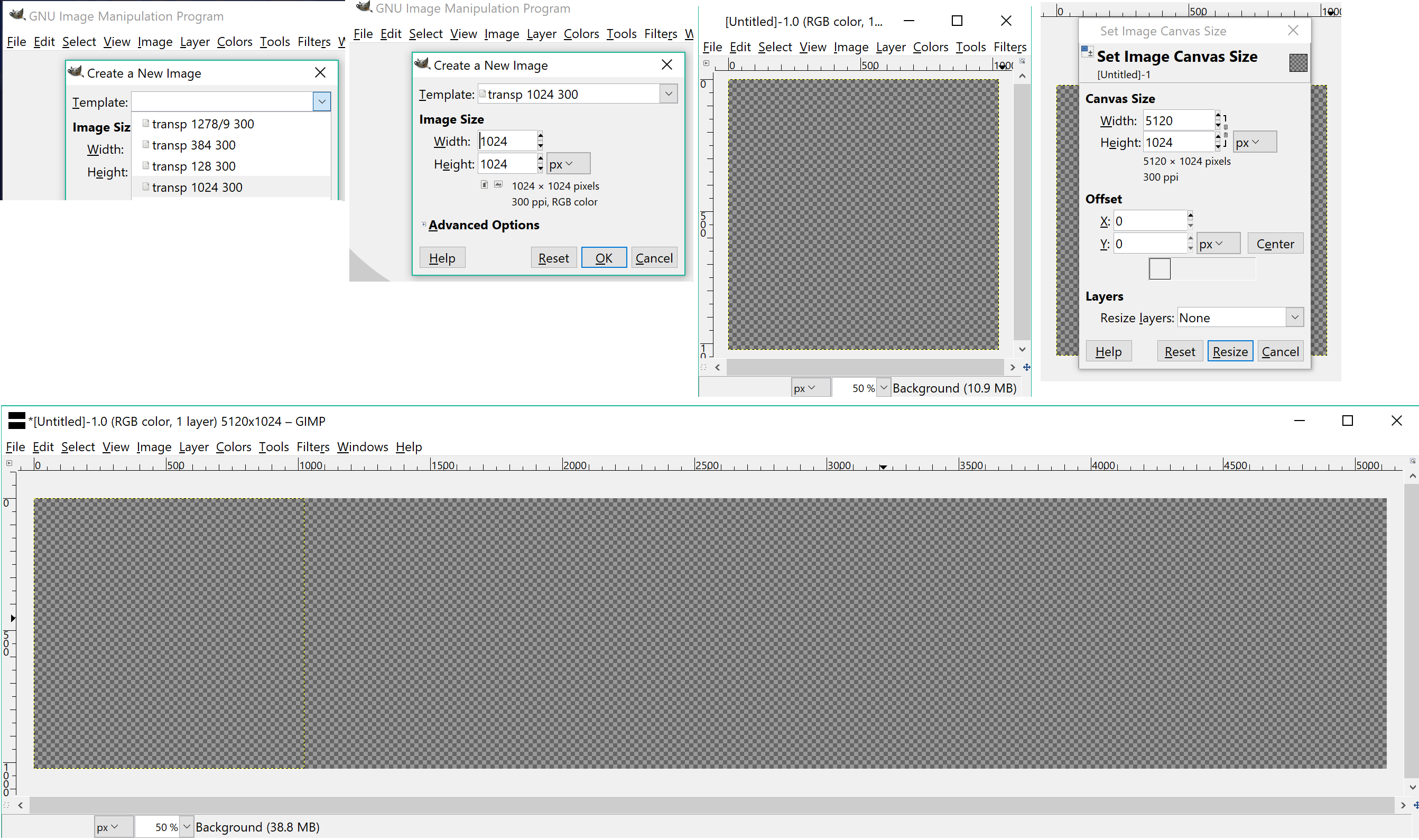
2. Image dimension in Gimp
5 squares : 5 x 1024 = 5120 | image dimension : 5120 x 1024 (300 ppi)
 [
[3. Insert 1st AtOMo square
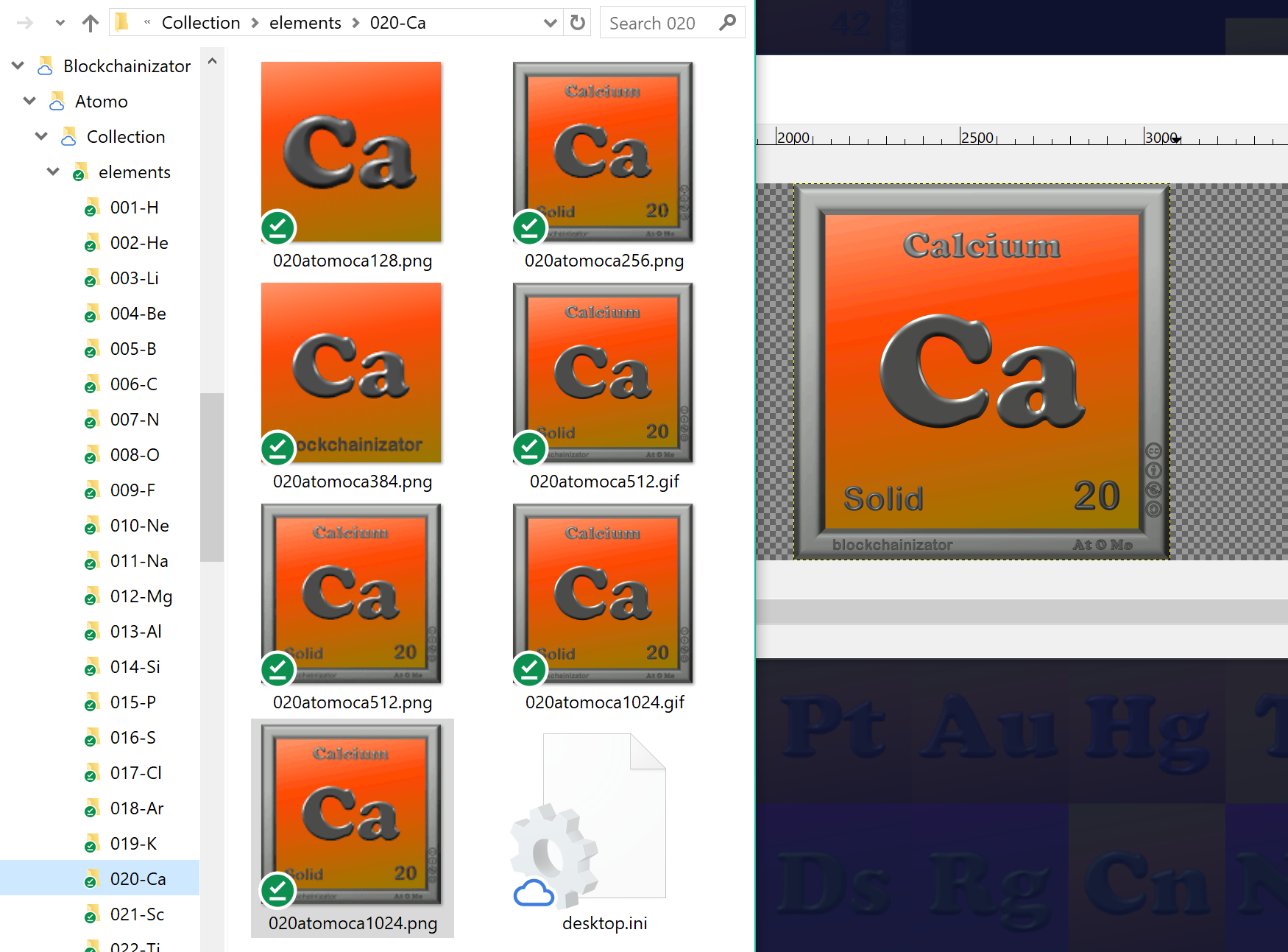
I have it locally in my computer: juts drag & drop the 1024 png format.
You can download it from this URL : https://www.blockchainizator.com/f/atomo/p/1024/020atomoca1024.png
Do you need Helium = 2 He ? change 002 & he in the URL for: /002atomohe1024.png
Alternative in your browser (need normally a with a JSON plugin): navigate our AtOMo collection list, select the needed square, e.g. 4 Be Beryllium, and select the ‘1024 png’ in line:
png1024 “https://www.blockchainizator.com/f/atomo/p/1024/004atomobe1024.png”
4. Move & adjust square
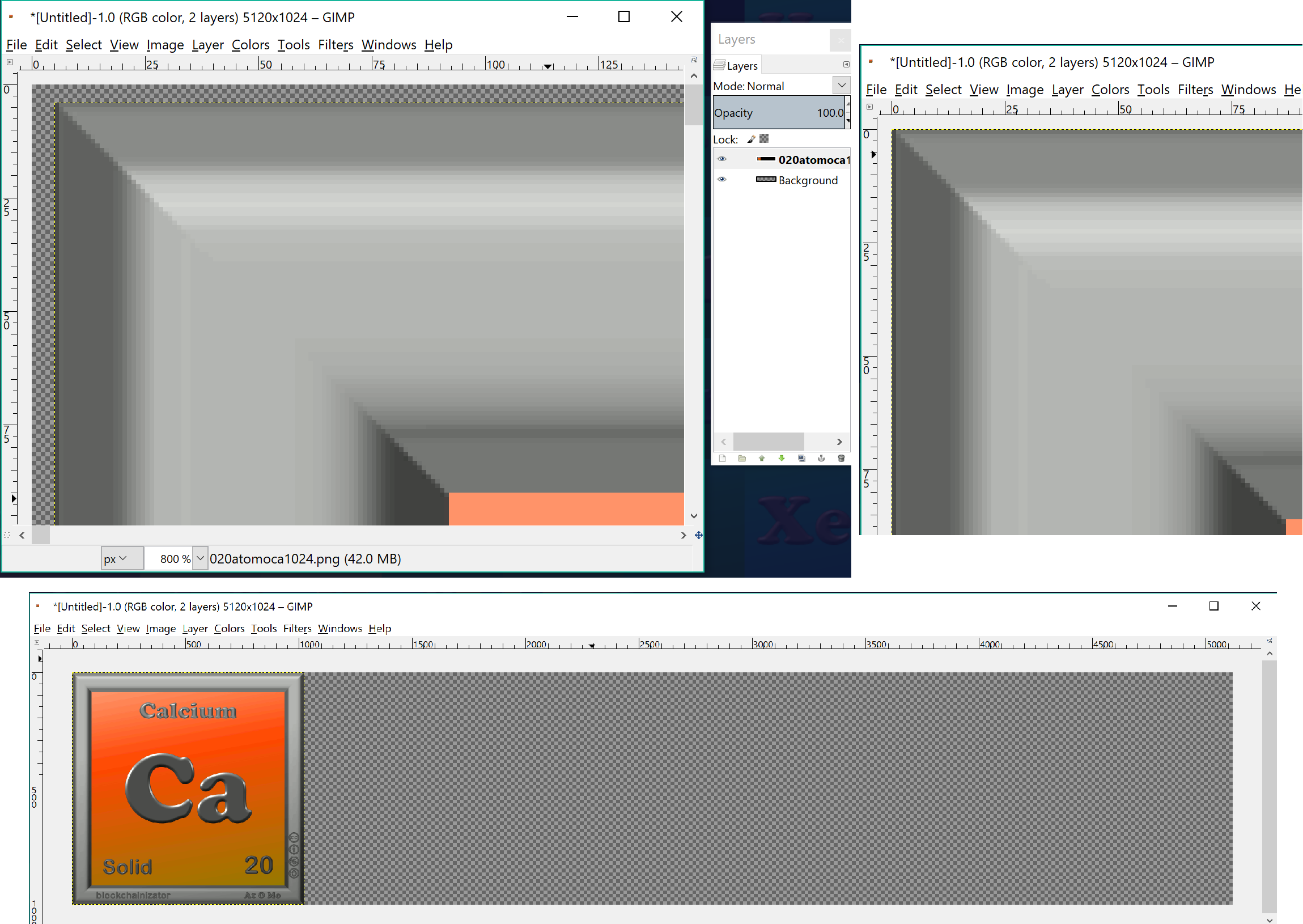
Tools > Transform Tools > Move
Open ‘Layers’ window to help select the right layer: Windows > Dockable Dialogs > Layers
Move 1st with mouse/cursor, afterwards in zoom with arrow keys in keyboards
5. Finalize all squares
Pre-select in ‘Layers” window the layer/square to move
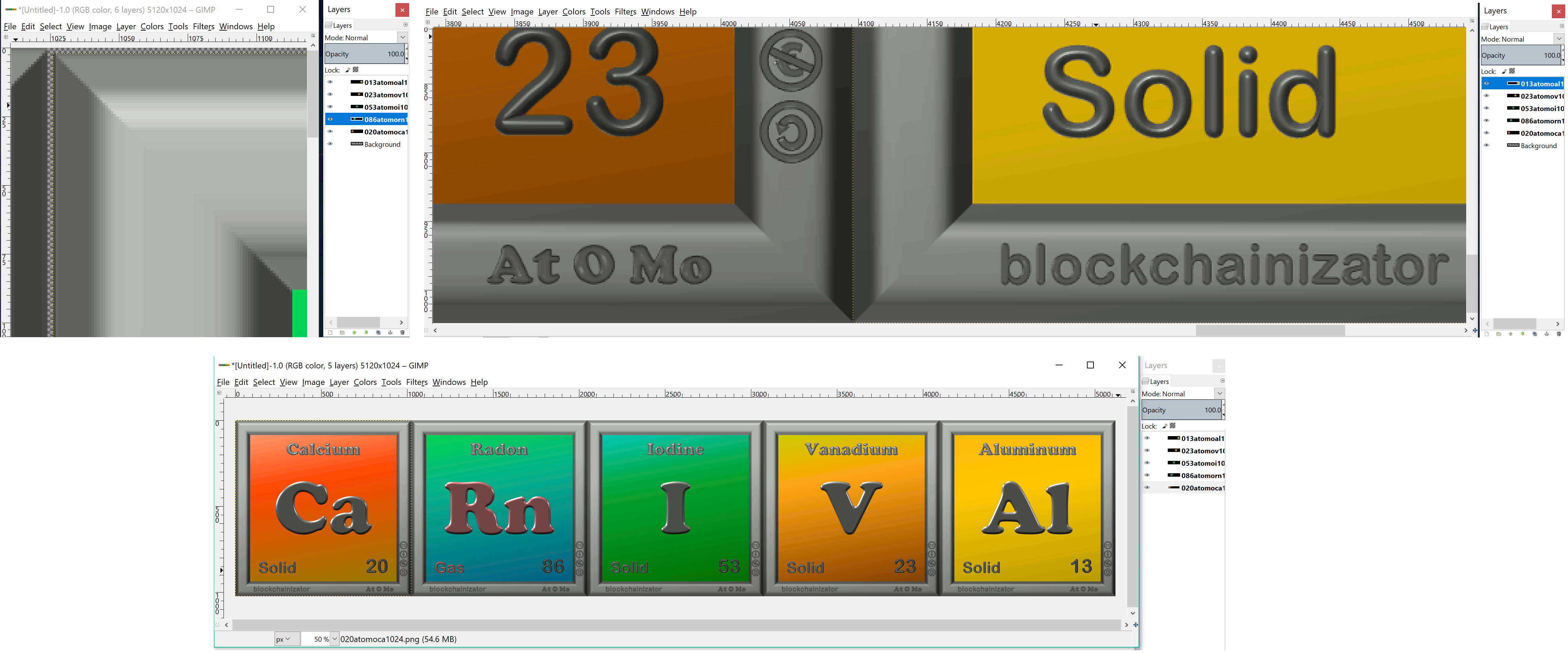
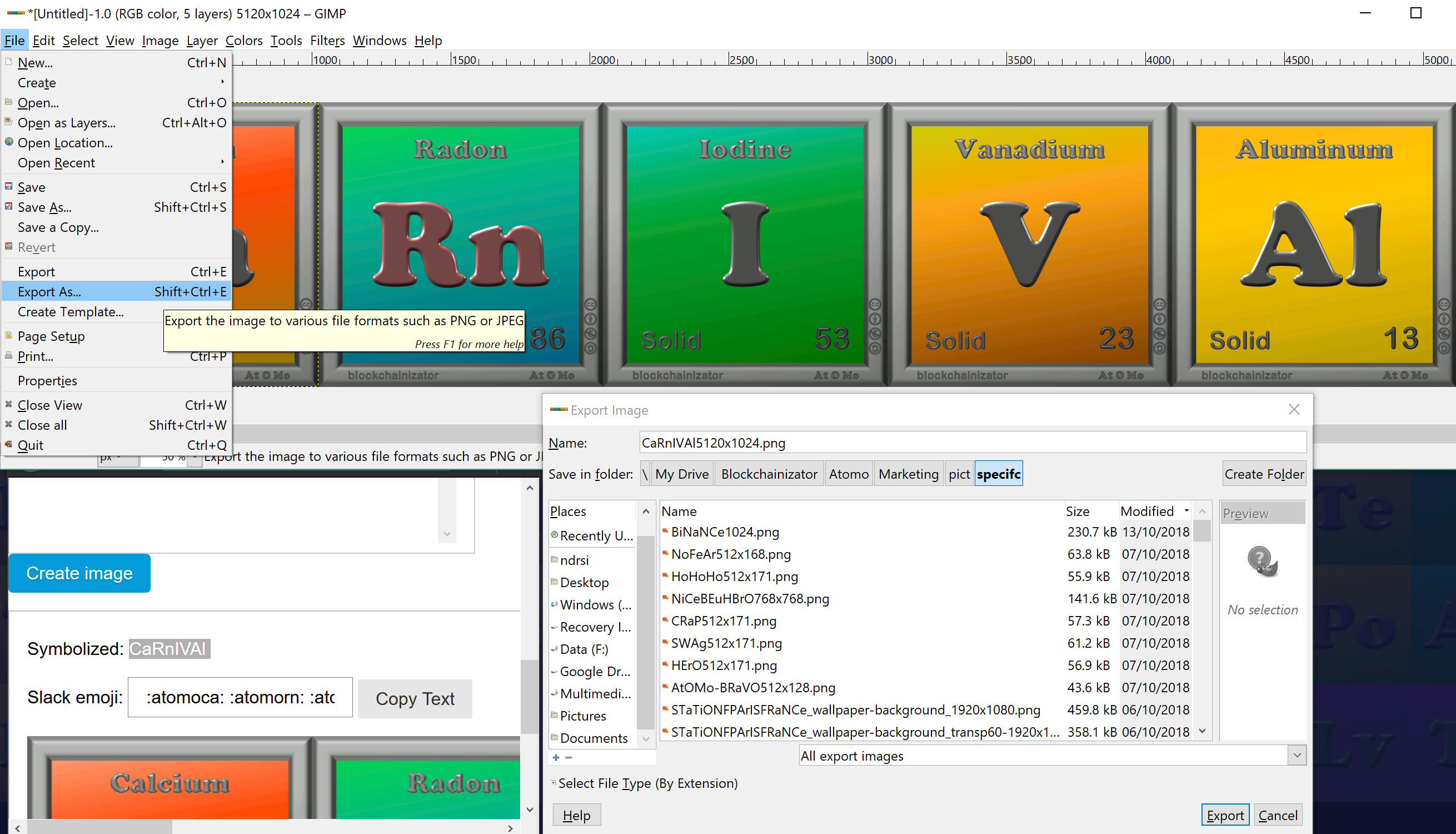
6. Export high resolution image
Copy from the Speller the name with correct uppercase or lowercase letters & add the image size
Great we have the image in high resolution! (In fact we will provide it with the Speller once, for 1024. And you can as well skip all steps 1 to 5 by taking directly the image provided by the Speller)
 [
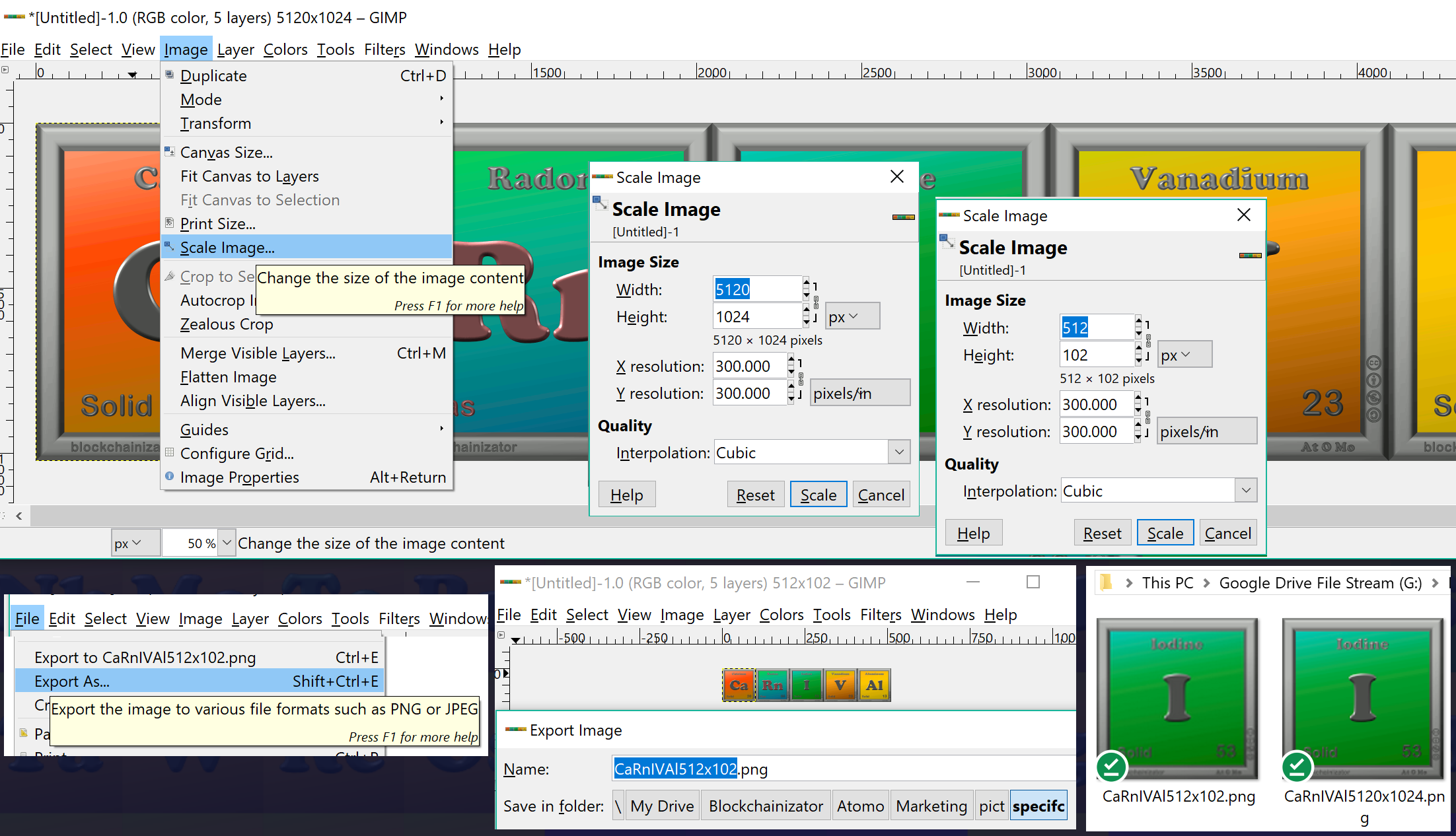
[7. Reduce image size for Telegram sticker
Telegram sticker height or width is maximum 512. Let’s reduce it here from 5120 to 512. With  the other dimension is adapted automatically.
Export reduced size with updated filename
 [
[8. Create and publish in Telegram Sticker
— You desire that we Blockchainizator we publish the AtOMo sticker? —
— Just ask in our Telegram channel! —
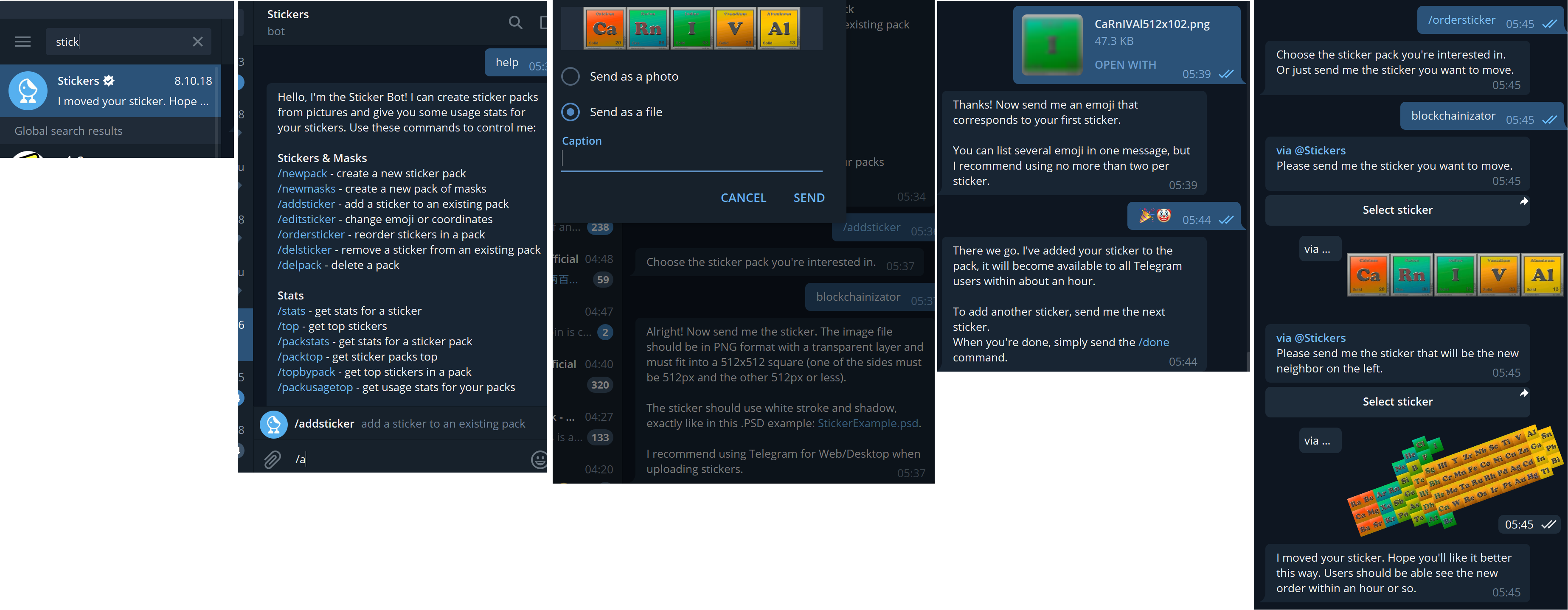
Do it yourself! Select ‘Stickers’ as your Direct Message in Telegram, and follow the process starting with /addsticker (If a Telegram Sticker package is not already created, do it previously with /newpack):
 [
[Done!